
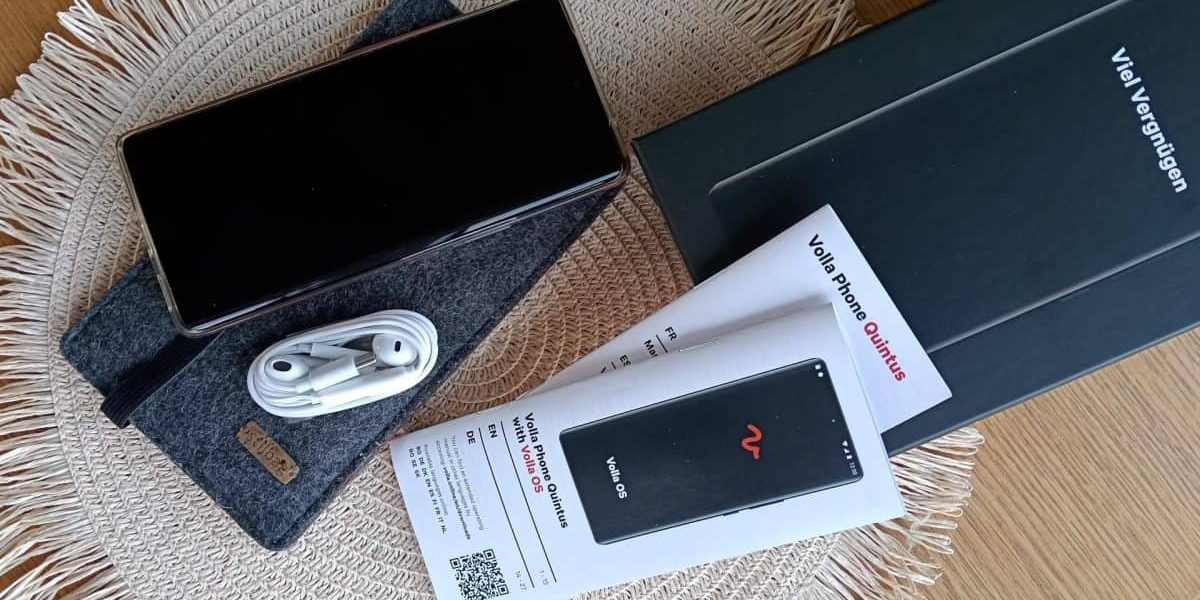
The Volla Phone Quintus is the new flagship of Volla’s range of deGoogled phones. Shipping of this smartphone started at the end of 2024, beginning of 2025. As there aren’t many reviews or user experiences with the Volla Phone online yet, it’s time to share my experience with the Volla Phone Quintus.
I started creating this blog post a few weeks after its arrival and first use of my Volla Quintus (in Q1 of 2025), so it would cover the first boot and first weeks of using it as a daily driver. Updates would then be added after X months to show how my experience with the Volla Quintus would progress. Well, life happened and eventually this blog post pivoted to a massive post packed with my experiences after almost 12 months of using the Volla Quintus. And first published in February 2026. Enjoy.
What this blog post is and isn’t: choosing a deGoogled smartphone
When you are looking for a smartphone that is deGoogled or limits the use of Google services you know that the experience will be somewhat different and/or more hands on than when purchasing any brand’s phone that runs on stock Android or Apple iOS.
This blog post is for those that want to get away from Big Tech or want to try an alternative to the two options out there: Android or Apple.
In the world of deGoogled smartphones there are lots of options to choose from. Coming from a Pixel Phone flashed with CalyxOS, I was looking for a new experience when it was time to say goodbye to my deGoogled Pixel Phone after years of service as there were no more manufacturer’s updates and no further OS updates were coming. The Google Pixel 3a game has reached the end level.
My options for a deGoogled smartphone
This time I was looking for a more drastic move away from Big Tech and American Tech. So my shortlisted options were:
- FuriPhone FLX1: a Linux phone that can also run Android apps (more info)
- Advantages: completely different and open source – no Big Tech involved
- Disadvantages: relatively new to the market with a Gigaset phone that is bigger and heavier than most phone but it is rugged though. Wasn’t sure if the Android solution would be able to make this phone my daily driver as unfortunately there are some Android apps I can’t do without. It was just too risky for now. Although they now also have a reimagined FLX1 in a sleeker, non-rugged form factor.
- Volla Phone Quintus: running Volla OS (LineageOS fork) and Ubuntu Touch as multi-boot (more info)
- Advantages: multi-boot, running an alternative to Android so apps can be installed via F-Droid and Aurora Store (almost no app limitations) and being able to test it as a Linux phone with Ubuntu Touch.
- Disadvantages: expensive as it surpasses the free tier of NZ Customs so duty and GST need to be paid. Luckily the company created a lower-priced option via IndieGogo so for international customers the price including shipping and duty would be the same as the price in the European market. Note: in New Zealand, NZ Customs will collect GST, Duty, import entry transaction fee (IETF), associated biosecurity system entry levy (BSEL), unless a shipment is valued at less than $1000.
- Google Pixel 7a or 8a flashed with Graphene OS: similar set-up as my previous phone, just flashed with a different Android alternative ROM (more info)
- Advantages: similar experience as before with CalyxOS yet way more secure. Graphene OS is by far the most secure OS out there.
- Disadvantages: your money still goes to American companies like Google. It does not help to change people’s options: it’s still the same tech using Android in full, just on a leash.
Everyone’s decision is personal and a different journey. There is no best solution, just the right solution for your use case. And for me that ended up being the Volla Phone Quintus.
First impression of the Volla Phone Quintus
The Volla Quintus arrived quickly, it took about a week to get from Nordrhein Westfalen (NRW), Germany to arrive at my doorstep in New Zealand. Customs & duty processes were quickly done by DHL so no delays at the border, as long as you respond quickly to DHL’s requested info & updates.
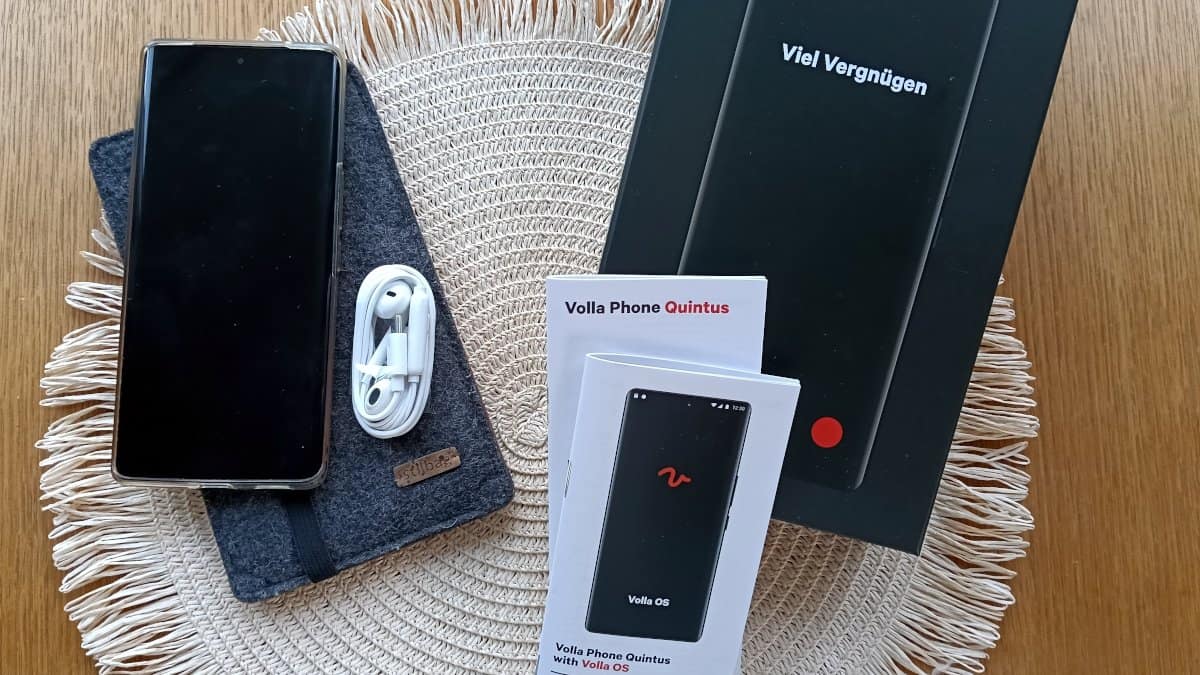
Opening the box is like any other smartphone. The box is solid, looks simple & elegant and the device inside is awesome. Packaging is good enough to survive the trip to New Zealand, well the box inside is more solid than the outer box as the latter barely survived the trip.
The only thing added here, is the sleeve from Stilbag (a protective bag from felt), the rest in the photo below is all standard. The reason for the sleeve was extra protection but also because I noticed the Volla Quintus' screen kept turning on when it was in my pocket. The sleeve made sure that won't happen again.
Getting ready for the first week with the Volla Phone Quintus
Then it is time to charge the device and boot it up. And to get your apps and data from the current phone to the new Volla Quintus. And that process took longer than expected.
The first issue I ran into was the fact that the current SeedVault back-up couldn’t be restored onto the Volla so it became a process of adding app by app manually and exporting & importing specific app data. Takes a bit longer but is simple to do.
The second issue was more annoying as after a couple of hours both the mobile data and wifi data indicator were showing an exclamation mark: no data. After running a few tests it looked like an indicator issue as when mobile data was off, data still came through via wifi and vice versa. So no data issues but still getting messages about connected to wifi but no internet and seeing exclamation marks in the top bar.
Checked and tweaked everything there was to check or tweak, from the phone itself to the router is was connected to. It had the same issues when connected to any other wifi network.
Had to do a factory reset to see if it would happen on a completely fresh install as well. And yup it did, unfortunately. Added the APN details of my New Zealand provider just in case the generic APN set-up wasn’t working properly. Then after a few hours of waiting and wondering whether it might by a hardware/software issue with the device, the issue disappeared and hasn't been back since. Weird.
From then on it was smooth sailing to move the rest of my apps to the Volla Quintus.
Things that don’t work yet with Volla Phone Quintus or are a bit weird
The good, the bad and the ones that simply don’t run on the Volla Quintus. Let’s talk Android apps and issues with apps. You can get some good Android apps – alternatives to Play Store apps via F-Droid – but you will be downloading quite a bit via Aurora from the regular Play Store. There aren’t not enough alternative apps to replace everyday apps, for example banking or financial apps.
Revolut doesn’t like Volla Phone
The Revolut app doesn’t work on a variety of alternative ROMs, including the Volla Phone Quintus. They deem your Volla device to be too alternative or too insecure and as “they are serious about keeping your data secure”.
Their app prefers to run on seriously outdated devices with a different alternative ROM instead of on the brand new up-to-date Volla Phone Quintus. No issues running Revolut on my Pixel 3a with CalyxOS. Also no problem moving my Revolut account to an outdated Android 7.0 device. Yet it doesn’t work on the Volla Quintus.
Netatmo somewhat doesn’t like the Quintus set-up
Another Android app that has some issues with the Volla Quintus is the Netatmo security app. This one mentioned that a non-official app was in use and that you should switch to the real Play Store app. It works though and Netatmo devices can be controlled.
Dual Boot: installing Ubuntu
One of the reasons to go for the Volla Quintus was the option for dual booting and having the option to boot Android (deGoogled) or Ubuntu Touch. However, installing Ubuntu Touch took a bit longer than expected. I experienced an error every time I tried to install it but never had the time to look into this.
And when I did have the time to look into it, it turned out it was such an easy fix.
Fixing mkdir error when installing Ubuntu Touch
The mkdir command is to create a new directory so when the error popped up that it couldn’t do that, the Ubuntu Touch install was aborted every time. And the fix? Easy. Just set a different name for the Ubuntu Touch folder via the advanced settings of Ubports installer. The default directory if ROM0 and the setting’s info says to only touch it when you know what you are doing. Change the name there and the mkdir error on the Ubuntu Touch install will be gone.
Connectivity: the New Zealand 5G mystery
One odd issue I’ve encountered is the lack of 5G connectivity on my New Zealand provider, despite the Volla Quintus supporting the required bands. While travelling in Europe recently, 5G worked seamlessly across multiple countries, so the hardware is clearly capable. Back in New Zealand, however, the phone maxes out at 4G+.
App managament: organised but messy
If you like to have your apps organised in folders, that will be a thing of the past. You’ll have a big list of app icons and an overview of most-used apps. You can’t organise them into folders. But you can add apps that you use a lot to the shortcuts of the red dot menu.
The frequently used apps are a random collection of your apps, not all of them are ones that you use a lot. Some have just been recently used and some are in there for no apparent reason. It’s a bit a luck of the draw which apps are added to that section.
As apps are shown & sorted by their app name, not necessarily by the name you’re used to, it will take some time to get used to finding the app you need. For example, Netatmo names its app Security, so you find that one in the S-section of your app list and not in the N for Netatmo section. Most apps have logical names, it’s just a few companies that name their apps differently.
They have now added App Groups, which you can create to organise apps better… But it didn't stick for me. I preferred the original “messy” approach so I have removed these App Groups after the initial test of this feature.
Long-term experience: does it hold up?
After 9-12 months of daily use, the Volla Quintus has proven to be a reliable companion. The phone’s performance remains snappy for everyday tasks. Battery life is still impressive, easily lasting a full day with normal use, including web browsing, messaging.
Volla has rolled out several software updates during this period, each addressing bugs and improving stability. The updates are straightforward to install, they arrive on a monthly basis.
Hardware durability
The build quality has held up well. The phone’s design is sturdy and there’s no noticeable wear and tear, even without a case. The screen remains scratch-free, and the buttons still feel responsive. That said, the phone’s weight and size take some getting used to, it’s not as sleek as a Pixel but the rugged feel gives me confidence it can handle everyday bumps and drops. And it has been dropped a few times already.
The one thing that I have noticed is the heating up on summer days with regular use. The phone did get very hot and drained its battery in a flash when travelling in Europe last summer. At a festival I had to place the phone on a cold concrete floor to quickly reduce its heat. I haven’t noticed this issue in the current New Zealand summer though, so it looks like that issue has been fixed.
Software Updates and Patches
Volla OS is based on LineageOS, so security updates are regular but not as frequent as those from Google. The Volla Team is transparent about updates. Occasionally an update messes up some functionalities, like a few months after starting with the Volla Quintus with the camera. An update messed up the ability to focus the camera so all photos were out of focus and blurry for a while. But the next update fixed that quickly. Haven’t seen any other updates go wrong so happy days.
Privacy Features
Volla OS includes several privacy-focused features out of the box, such as app permission controls and the ability to disable telemetry. It’s not as locked-down as GrapheneOS, but it strikes a good balance between usability and privacy. For example, you can easily install apps from F-Droid or Aurora Store without relying on Google Play Services. However, some apps (like Revolut) still refuse to work, citing “security concerns”, a frustrating irony given that Volla OS is more private than stock Android.
Tips to make your Volla Quintus experience even better
If you are new to the world of deGoogled phones, these tips will help you get the most out of your Volla Phone Quintus or the deGoogled option you pick as your new daily driver.
- Use SeedVault to create backups via NextCloud to keep things open-source and free from Big Tech, while always having a backup to fall back on. If you are not tech-savvy, there are plenty of hosted NextCloud solutions out there.
- Use a good, reliable and affordable VPN to stay safe wherever you are.
- Exclude your VPN app from the SeedVault back-up process as SeedVault disables your always-on VPN before backing up but it can’t turn it back on so you’ll always end up with a disabled VPN after the back-up is done.
- As you have a (self-)hosted NextCloud solution, it’ll be easy to sync/back-up your contacts and calendar entries via WebDAV (CalDAV and CardDAV) – a process to update content remotely from a client – so you can sync these with your other systems as well or just to have a back-up. No need for a calendar app via a third-party provider or storing your contacts in Big Tech’s cloud.
- Use an app called SunUp to improve notifications for some apps.
Revisiting the alternatives: would I still choose the Volla Quintus?
A difficult question… Yes, I’m still happy with the Volla Phone Quintus as daily driver. I can do everything I need to do for my projects, work and private life. No complaints. So let’s compare some of the “competitors” with the Quintus to see how they stack up now.
FuriPhone FLX1 / FLX1s vs. Volla Quintus
The FuriPhone FLX1 remains an intriguing option, especially with its newer, sleeker design. However, the Volla Quintus still feels like the more polished choice for daily use. The FLX1’s Linux-first approach is exciting, but the lack of Android app compatibility makes it a harder sell for anyone who relies on mainstream services. If you’re all-in on open-source software and don’t need Android apps, the FLX1 might be worth a look. For me, the Volla’s balance of Linux and Android (via Volla OS) is the sweet spot.
I’m still a firm believer in an alternative phone OS like Linux but for most people apps remain the issue. I’ve already limited my app use on the Volla, prefer mobile web instead of apps. But some apps just can’t be bypassed or ignored. Therefore I doubt the FuriPhone could become a daily driver… But I like a challenge, so I might get one as a second or back-up phone just to see how well it performs. Especially because their latest model, the FLX1s, seems to hit the mark better than their first model. A lot better… That new model looks sweet, but how does it deal with Android apps?
GrapheneOS on a Pixel
If absolute security is your top priority, GrapheneOS on a Pixel is still the gold standard. But the Volla Quintus offers something different: a true alternative to the Android/iOS duopoly, with the flexibility to experiment with Ubuntu Touch. It’s not as secure as GrapheneOS, but it’s more aligned with my goal of reducing reliance on Big Tech.
Who is the Volla Quintus for?
This deGoogled phone is ideal for:
- Privacy-conscious users who want to minimise Google’s presence in their lives.
- Tech enthusiasts who enjoy tweaking and exploring alternative operating systems.
- Anyone willing to compromise a bit on app availability for the sake of supporting a smaller, more ethical company.
Is the Volla Phone suitable for a non-tech person? Absolutely! Volla has made your deGoogled experience as easy as possible. You don't have to be a hardcore tech fan to make this deGoogled phone work for you.
Would I buy it again?
Yes, but with caveats. The Volla Quintus isn’t perfect, but it’s the closest I’ve found to a deGoogled phone that doesn’t feel like a compromise. It’s given me a deeper appreciation for the trade-offs involved in leaving Big Tech behind and I’m excited to see how Volla and Ubuntu Touch evolve. For me the next steps are to see if I can boot more into Ubuntu Touch than into VollaOS (Android).
Are you ready to break free from Android or Apple?
Have you tried a deGoogled phone? What was your experience? Let me know in the comments!



Leave a Reply to M Cancel reply